Project Detail
Google Sponsored Project
Feb - Apr. 2024
Total 7 weeks
Role
User Experience Designer
Prototyper
Researcher
Tools
Figma
Mission
Key Features
Background Research
Background Research
Insights
How might we
Persona
AI Tools
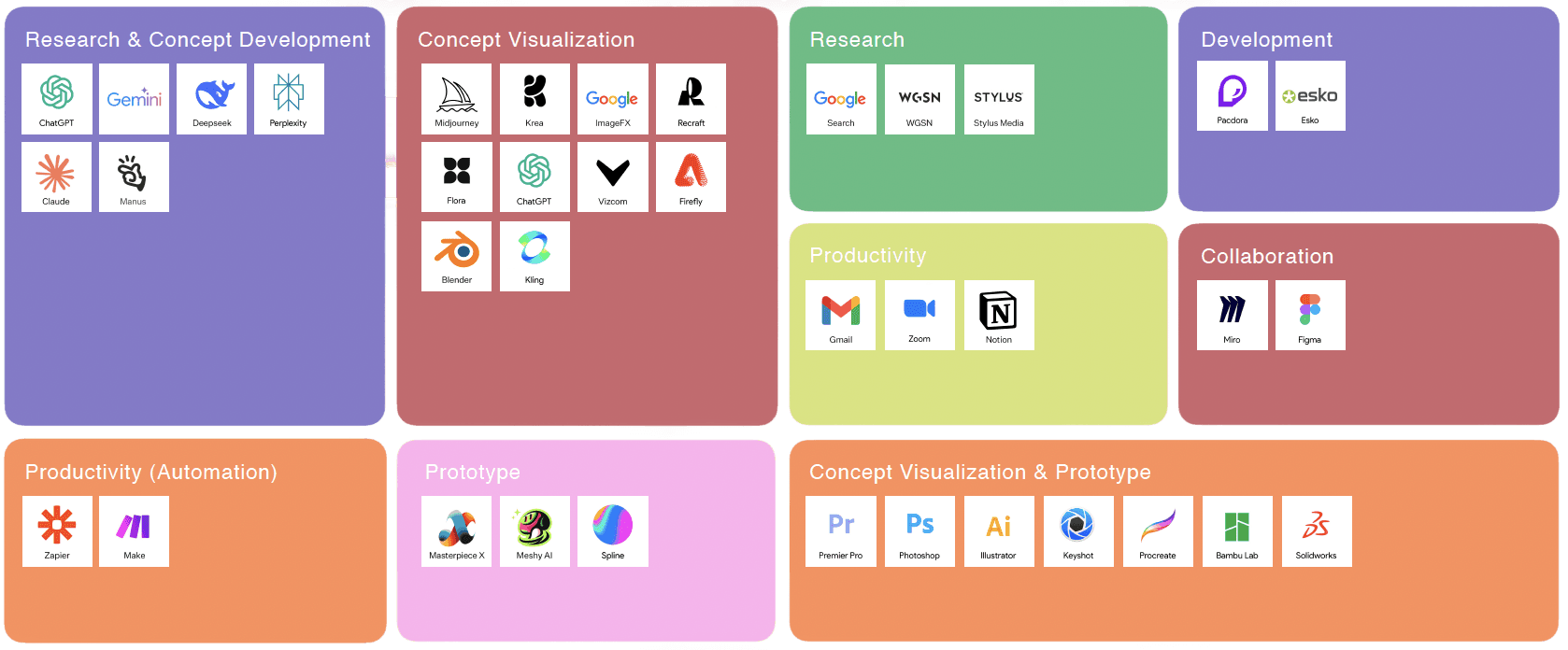
Non AI Tools
Background
Prism is an AI-driven creative collaboration platform designed to provide Google Packaging Designers with an intelligent, systematic, and scalable workflow for packaging design.
AI Conversational Design Guidance
After talking with 5 Google packaging designer and external designers, we found out
To better understand current AI capability, we tested the ability of most of AI tools, including text, image, 3D, video generative tools
We also looked into traditional tools used in design field
Multi-Image reference
AR Prevew
Collaborative Workspace
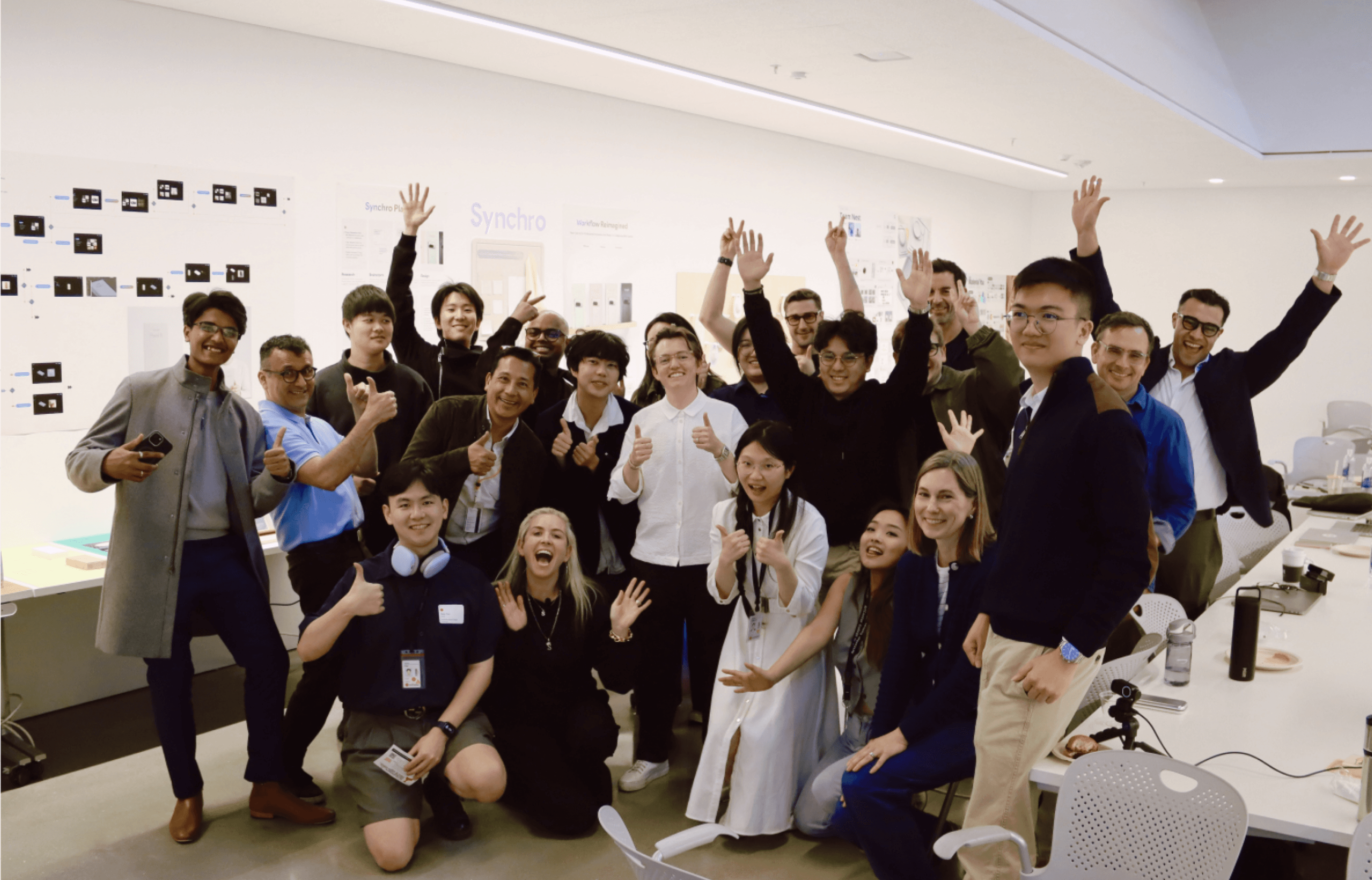
To explore the potential of artificial intelligence in packaging design, Google sponsored this educational program to help packaging designers enhance efficiency and unlock creative innovation.
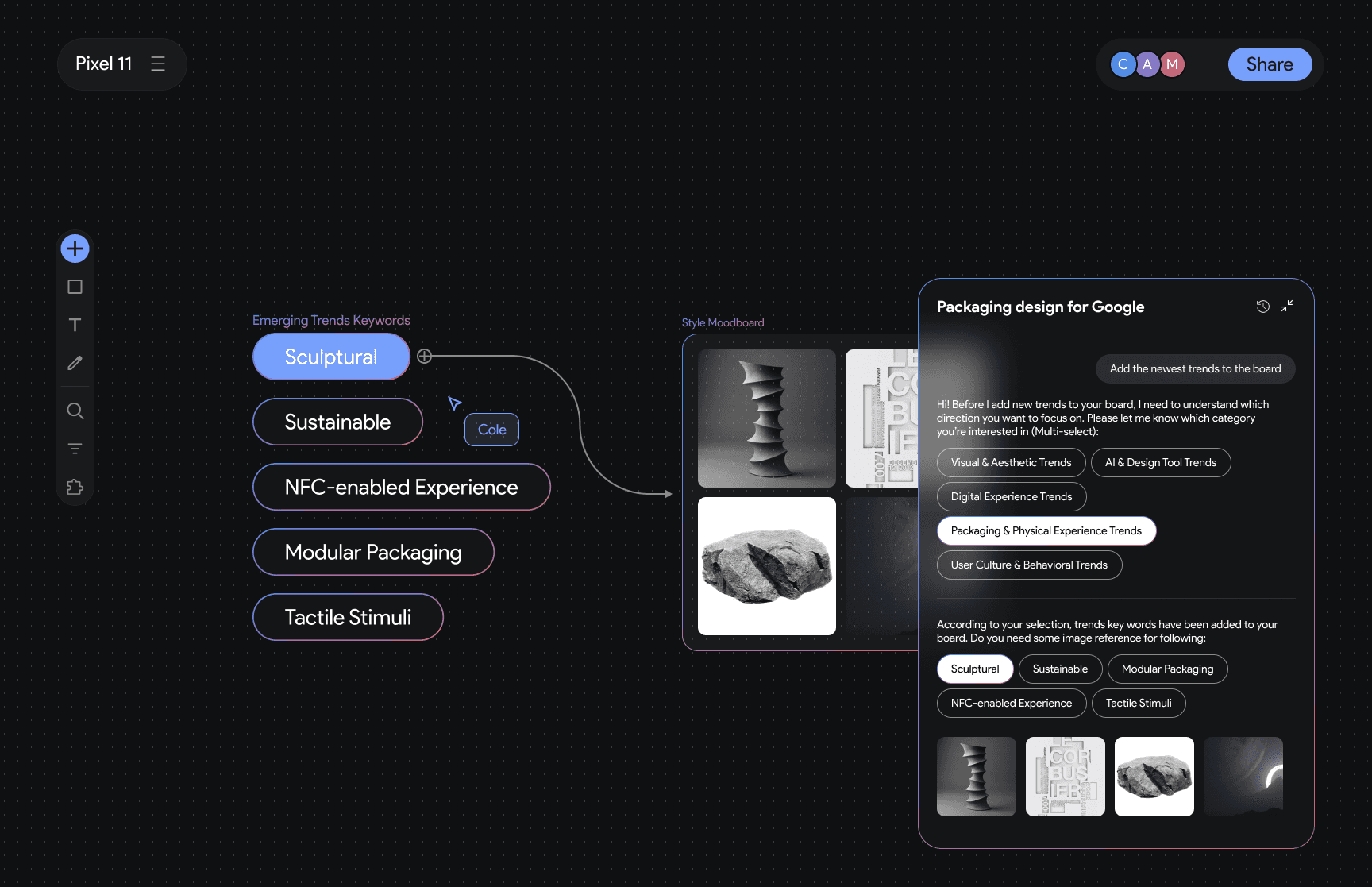
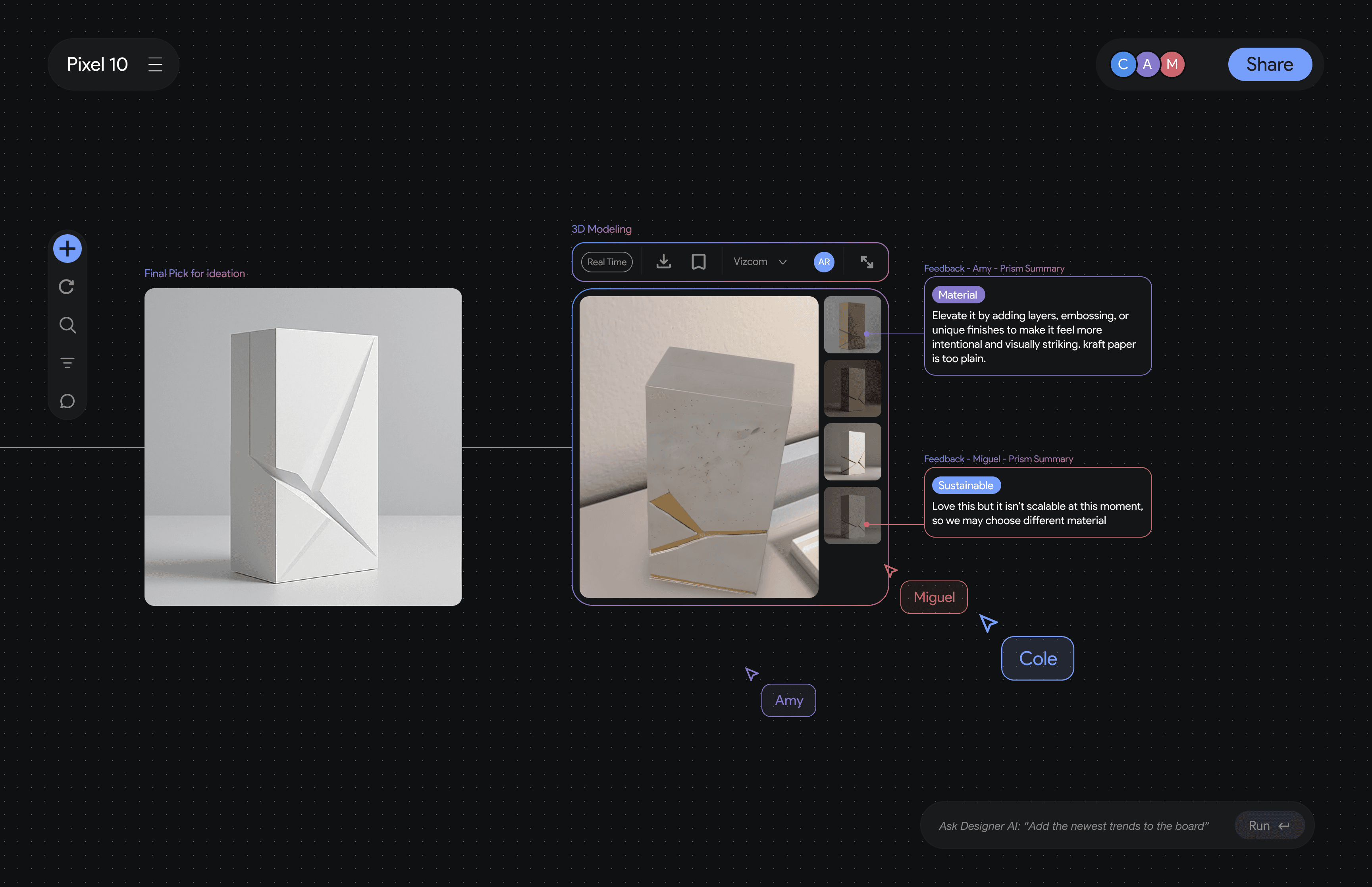
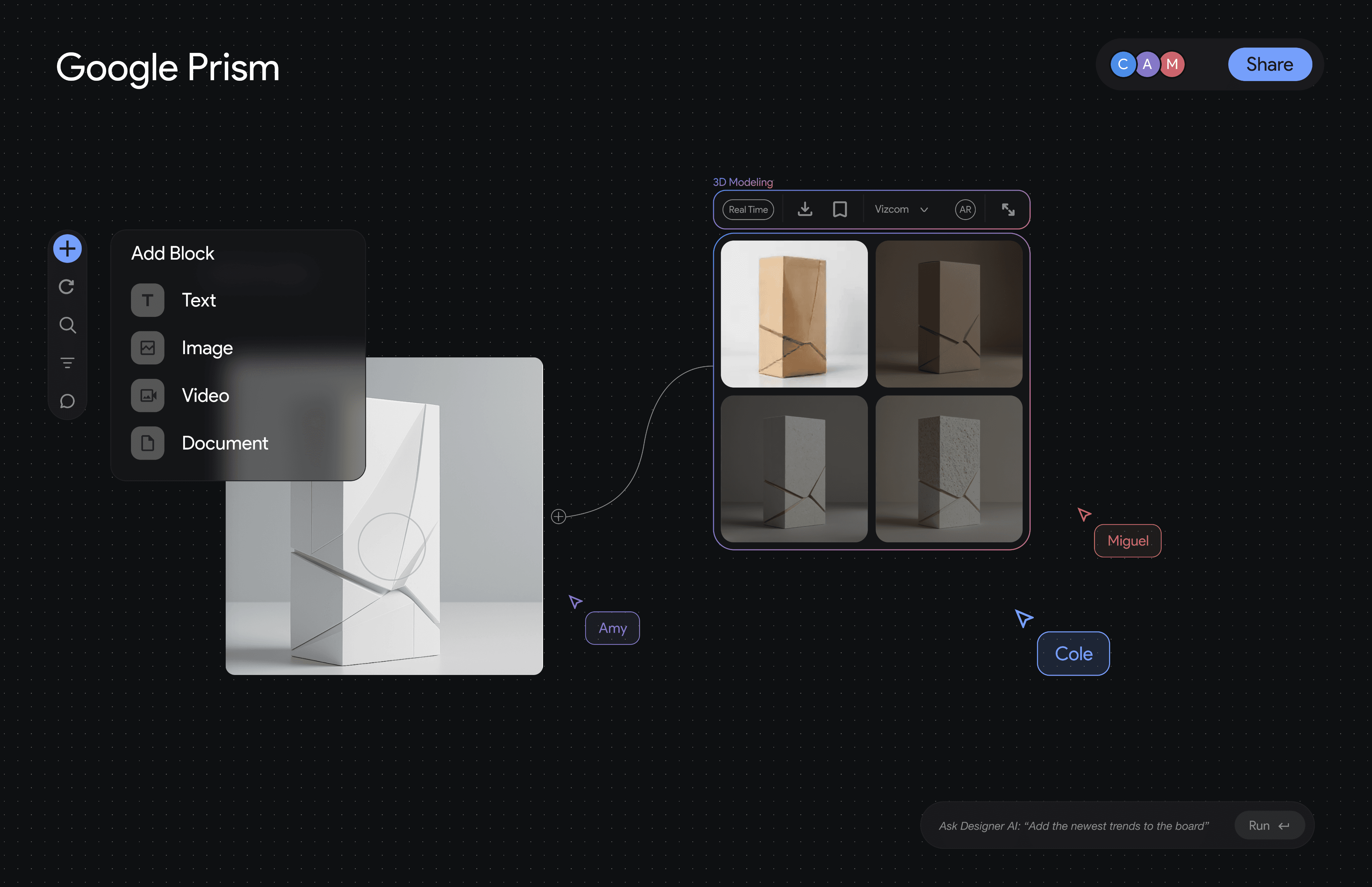
An AI conversational assistant that helps designers conduct research, brainstorm directions, articulate their design thinking, and generate or refine visuals through natural dialogue
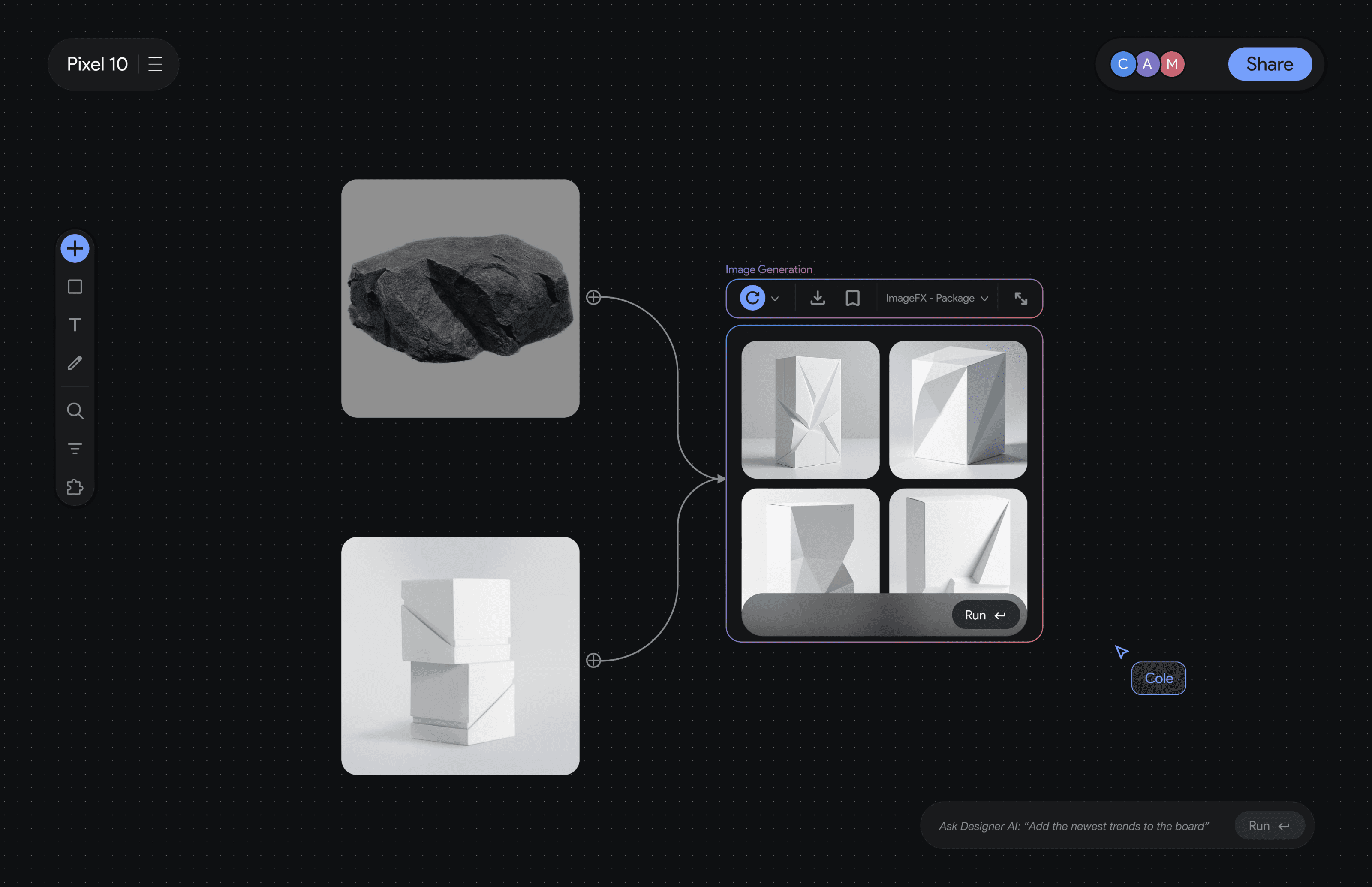
Supports multi-image referencing, allowing the AI to analyze multiple visuals simultaneously and generate or refine designs based on their combined attributes
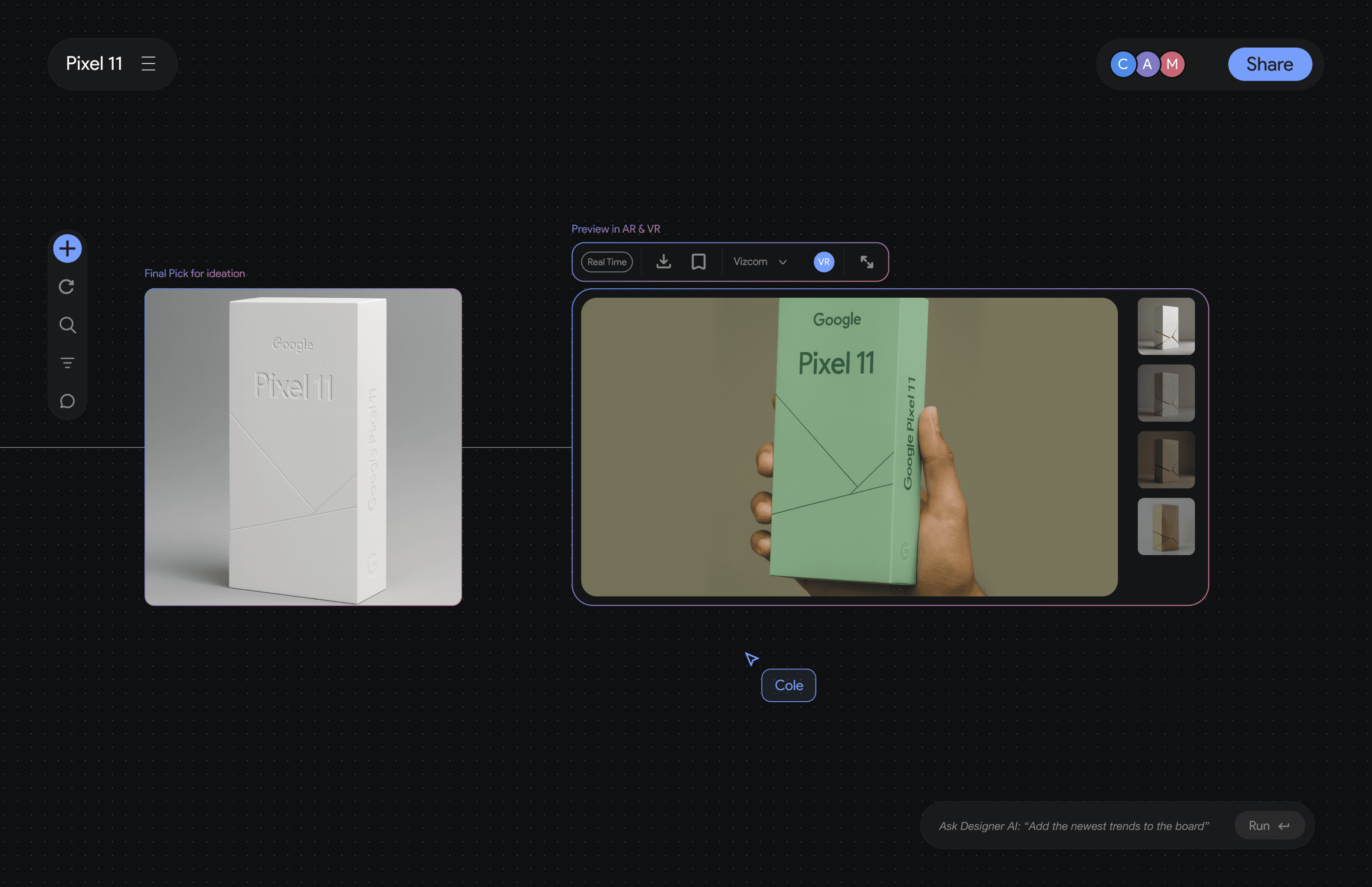
AR preview allows packaging designers to visualize the product in real-world scale and context, helping them evaluate structure, shelf impact, and user interaction before physical prototyping.
Collaborative Workspace enables designers, engineers, and stakeholders to co-create in real time, streamlining feedback, reducing iteration cycles, and aligning decisions in one shared environment.
Current Concept Visualization is Slow, Costly, and Misaligned
“Visualizing packaging concepts takes too long and relies heavily on physical mockups. It’s hard for stakeholders to really understand the idea, so we often end up misaligned.”
High Cost and Time Burden in Packaging Prototyping
“Prototyping takes a lot of budget and time. Every iteration means new physical samples, and we can’t move fast enough to test ideas or get stakeholder approval.”
Fragmented workflows cause misalignment across teams.
“We constantly jump between different platforms to share updates. It’s hard to keep everyone aligned, and even small changes require so much back-and-forth with engineering.”
How might we build an AI-powered platform that understands packaging as a strategic design process—enabling designers to ideate, visualize, evaluate, and collaborate in real time, from concept to production?
Age:
27
Lives in:
San Jose, CA
Occupation:
Junior Packaging Designer
Experience with AI
Collaboration with Teams
Trend Research Capability

AI Tools are Inspiration Overload, No Strategic Direction
Most AI platforms give random inspiration rather than guiding designers strategically toward brand-specific or user-centric outcomes.
Most AI tools are single-user and do not integrate into cross-functional workflows involving different teams.
AI feels like a personal assistant, but packaging design is a team sport—we need AI that can align multiple stakeholders.
Prototyping is slow and expensive” – every iteration requires time and budget
“Feedback is fragmented” – communication happens through email, PPT, WeChat groups, making alignment difficult
“Prompt Reliance” – designers want AI to guide decisions through conversation rather than forcing them to engineer the perfect prompt.
Painpoint
Insights: Linear Workflow Restricts Exploration
The creation process is linear — each generation starts from scratch, preventing designers from iterating organically or branching from previous ideas.
Solution: Canvas-based Generation System
Visual Iteration Workspace
Keyword-based Visual Indexing System
File reference
In the second round interview, we interviewed several AIGC designer...
Feature 1
Feature 1
User Testing & Iteration
After Iteration
Insights & Solution
Second Round Interview
Traditional
Traditional AI image generation tools operate in a linear, prompt-based flow — users input text, receive results, and repeat.
Prism transforms this process into a spatial, canvas-based environment where ideas, references, and AI generations coexist and connect.Designers can explore relationships between concepts visually, enabling non-linear, dynamic creativity.
Prism
From Linear Generation to Canvas-Based Exploration
High Fidelity
Prism replaces the linear prompt-output cycle with a canvas-based environment, where designers can generate, edit, and organize images directly in one spatial workspace.
This workspace allows designers to visually connect multiple generations, modify existing results, and build upon prior ideas — making AI generation iterative rather than disposable.
Prism introduces a keyword-based visual indexing system that automatically tags each generated image, reference, or 3D object with key concepts such as material, color tone, and style.
Designers can search, filter, and trace their creative journey through these semantic links, turning a chaotic archive into an organized, searchable design memory.
Designers can integrate multiple inputs — from images and trend reports to PRD documents and research notes — within structured sections on the same canvas.
Insight: Limited Editability after Generation
Generated images are static and difficult to modify — designers cannot easily add text, shapes, or make contextual changes on top of them.
Poor Traceability and Organization
Designers cannot easily revisit or organize previously generated images, making it hard to track creative evolution or compare directions.
Misalignment with Real Design Workflow
Prompt-based AI tools operate in isolation — they don’t align with designers’ existing research, PRD goals, or collaborative context.

Cole
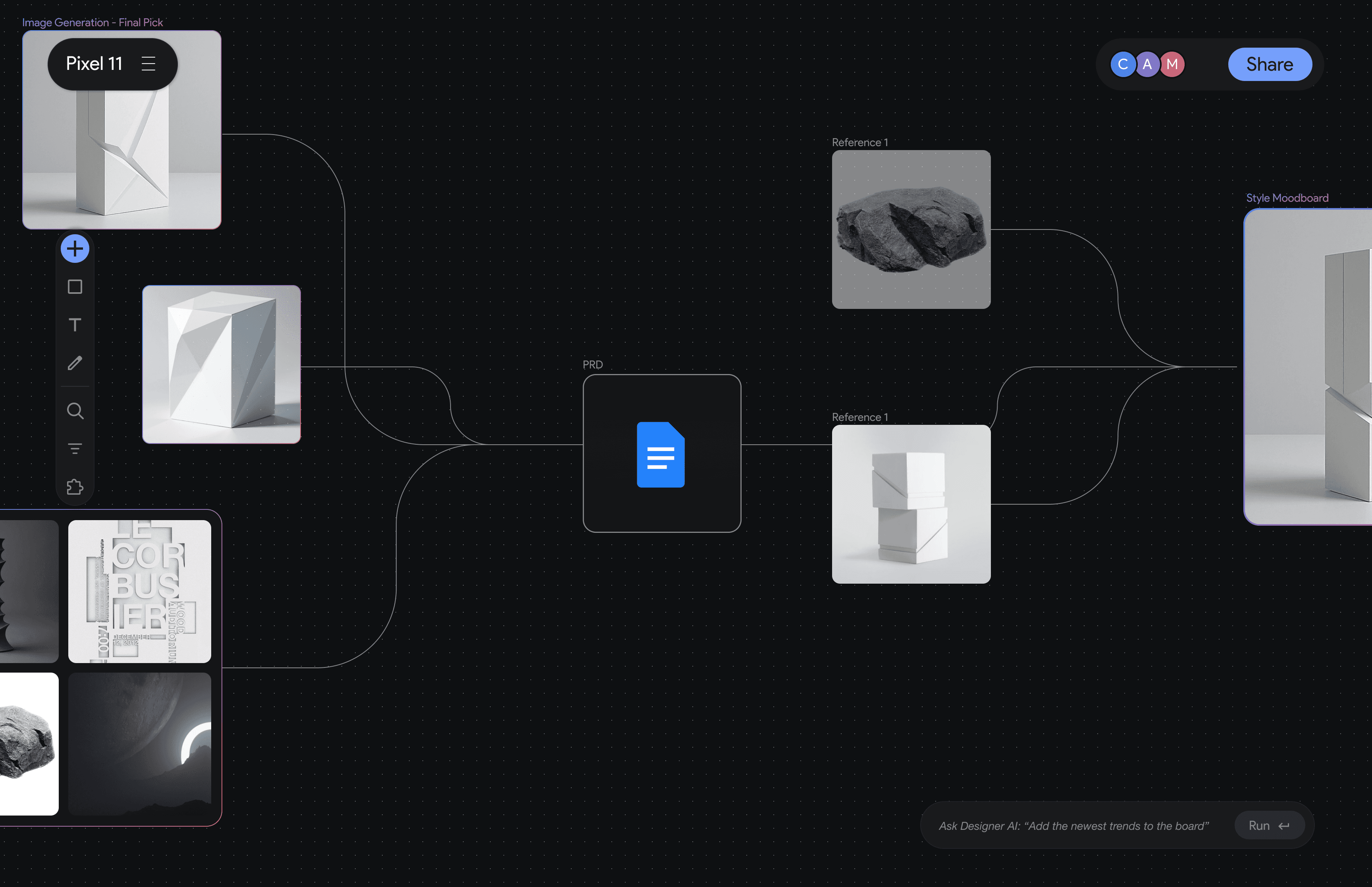
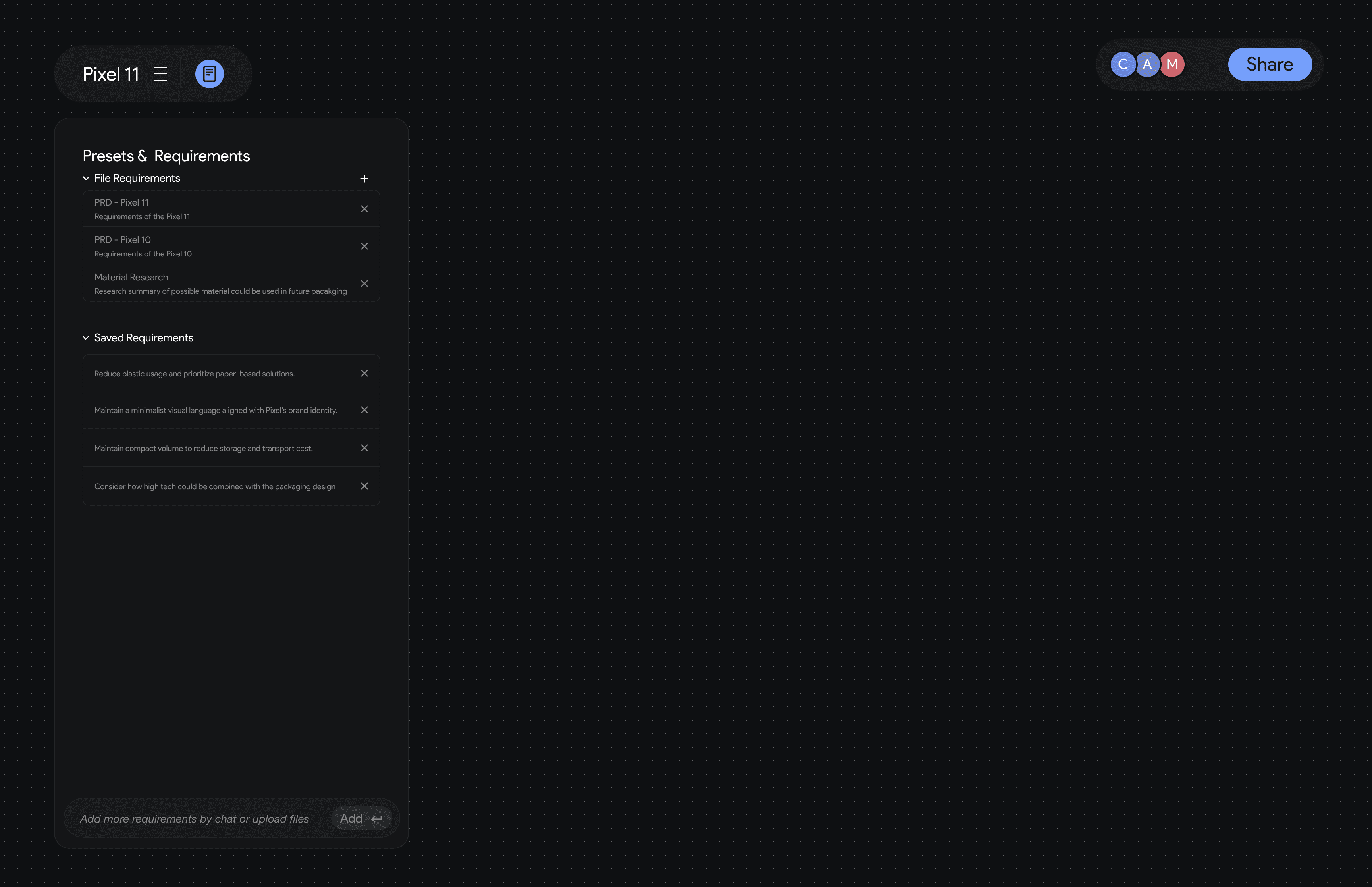
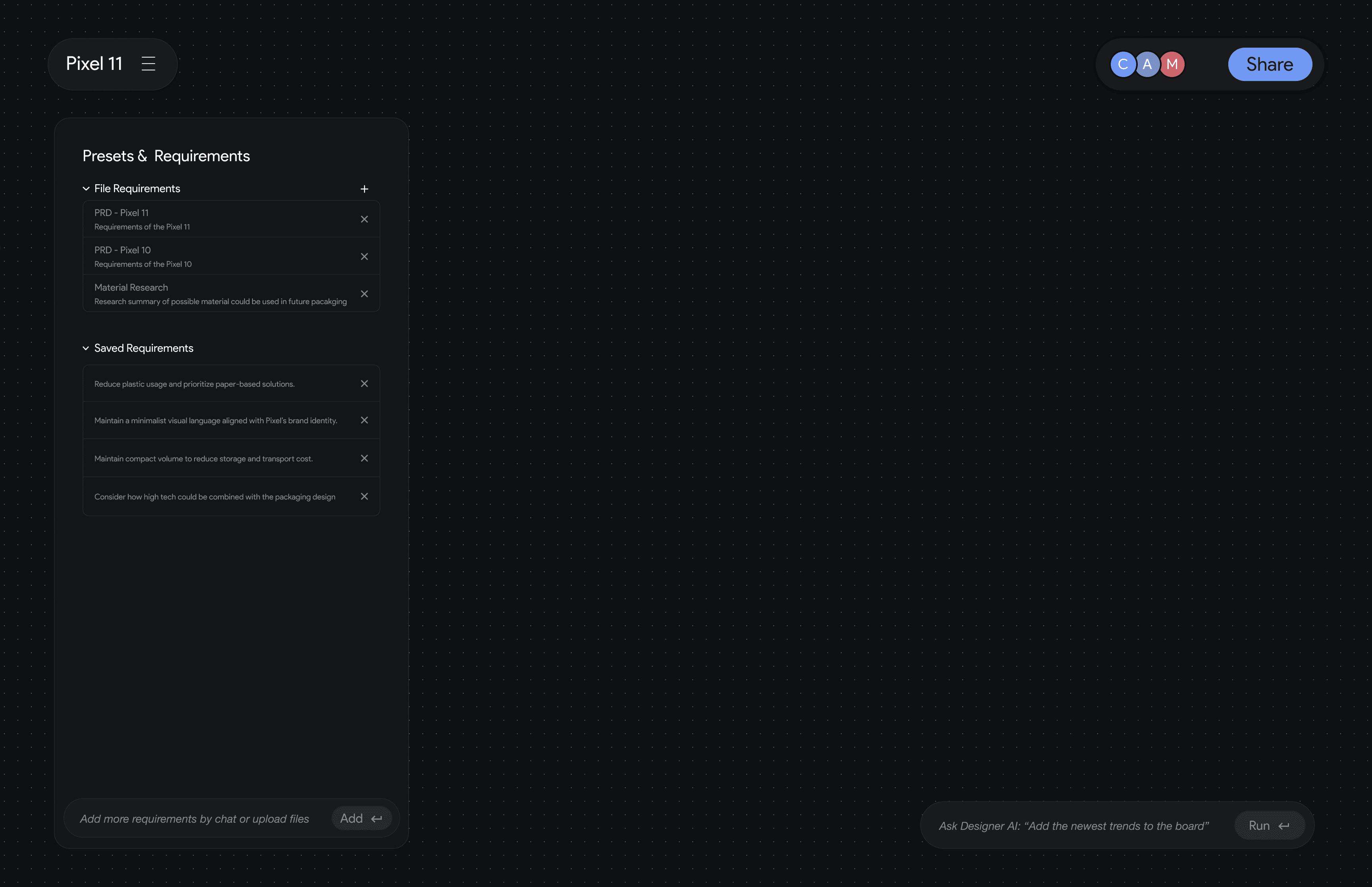
Each project in Prism includes a Presets & Requirements panel that stores essential design files and predefined constraints — such as PRDs, material research, and sustainability goals.
These presets act as the project’s foundation, allowing AI to generate and iterate within the correct context.
Files such as prd, research files are requirements
Requirements summarized from chat, workspace, and users added requirements
Add / upload files to add to the requirements
Presets & Requirements panel
Canvas-Based Generation Interface
Multi Generation Media
Supported
Conversational Image Refinement on Canvas
Upload Files for Requirement
Saved Requirement
Add Requirements
Lack of contextual structure for reusable design requirements
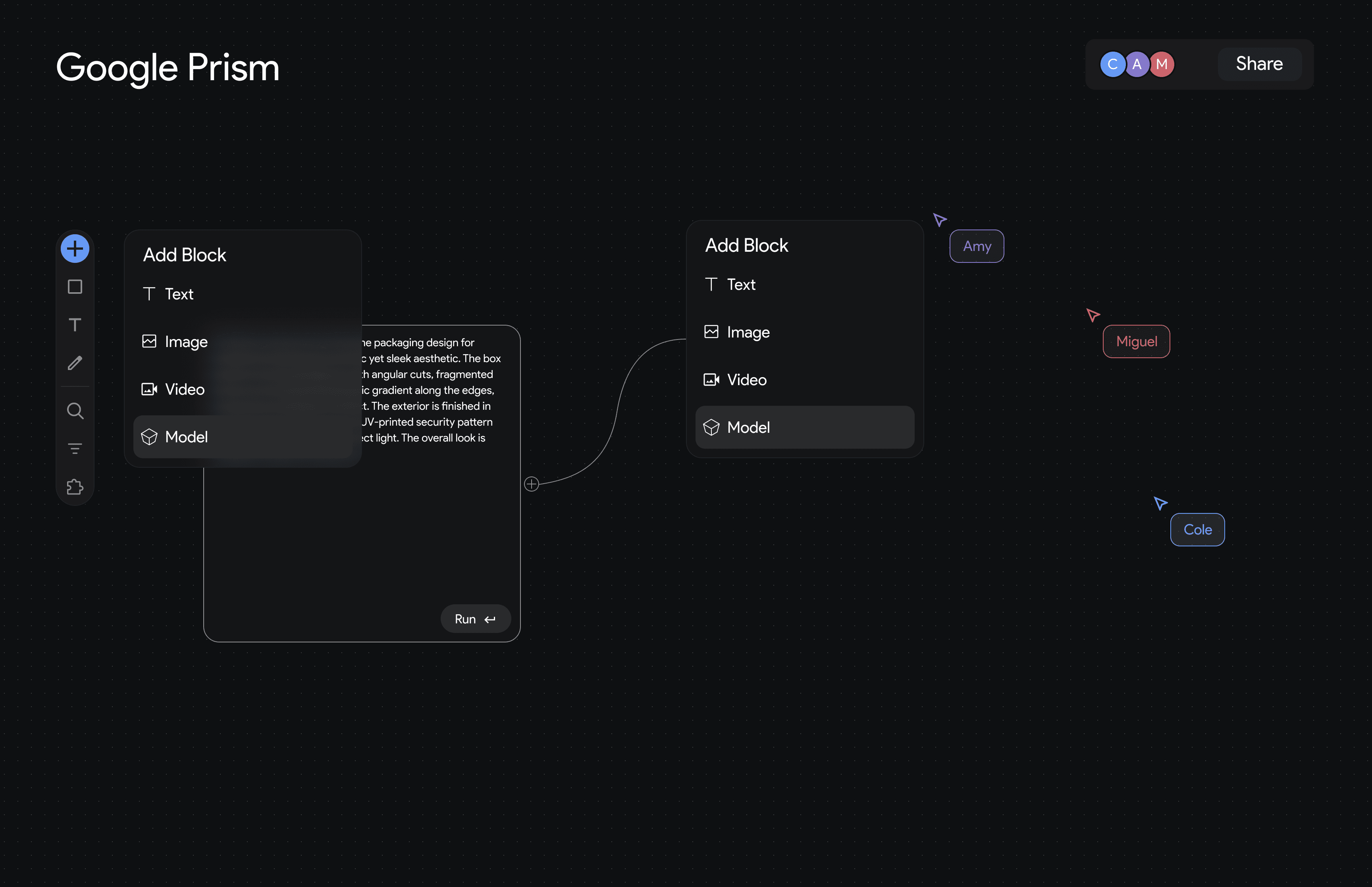
In the first version, designers had to manually connect every prerequisite — such as research notes, PRD files, and shared references — to each new idea, which quickly became repetitive and cluttered.
Prism supports multiple media types — text, image, video, and 3D model — within one canvas.
Designers can move fluidly from written ideas to visuals, motion, and spatial prototypes, keeping every stage of creation connected and contextual.
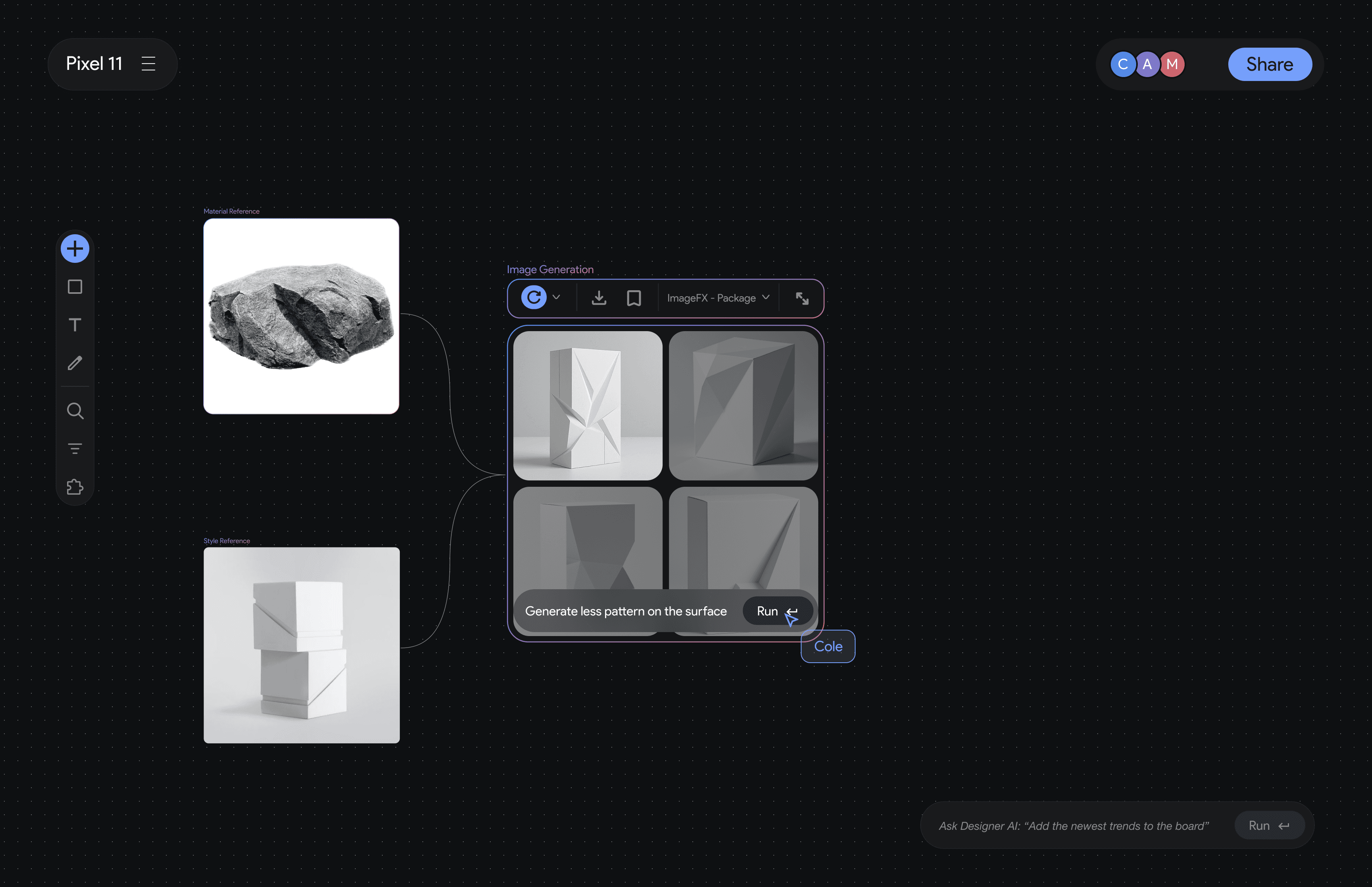
Instead of generating one image per prompt, Prism introduces a canvas-based interface where designers can visually connect references, ideas, and AI-generated results.
Each block represents an image or concept, allowing designers to explore relationships, compare directions, and iterate spatially — turning prompt-driven generation into a visual thinking process.
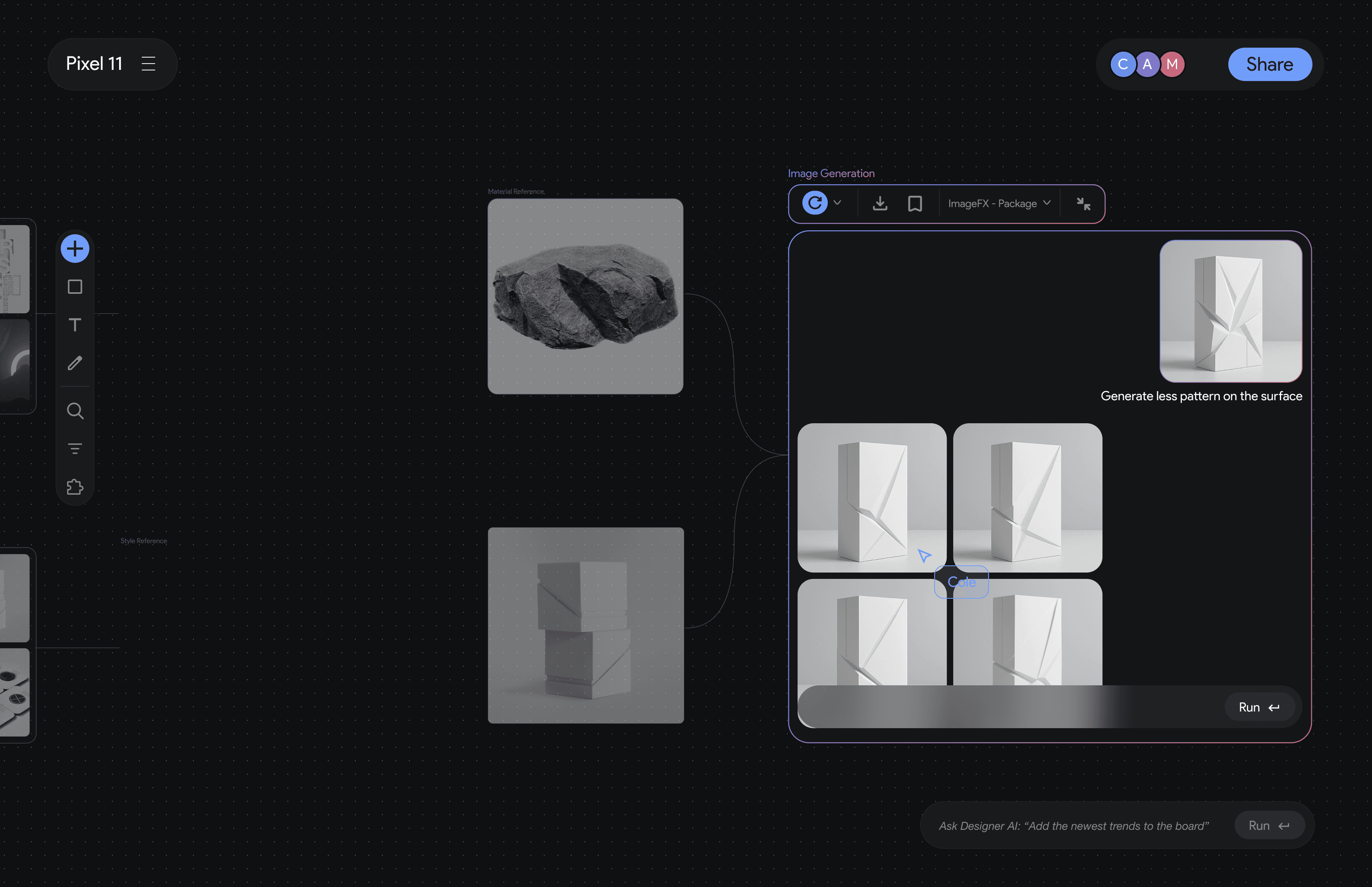
Designers can refine generated images directly through conversation on the canvas.
Instead of retyping prompts, they can ask AI for contextual adjustments — such as “make the surface cleaner” or “reduce the pattern detail” — enabling faster, more intuitive visual iteration.
Presets & Requirements Panel
The Presets & Requirements Panel stores essential project information such as PRD files, material research, and design constraints.
Designers can upload documents or add requirements through chat, allowing AI to generate and iterate within the correct design context.
This ensures that every idea remains consistent with brand, sustainability, and engineering goals.
Before Iteration
Feature 2
AI Conversational Design Guidance
An AI conversational assistant that helps designers conduct research, brainstorm directions, articulate their design thinking, and generate or refine visuals through natural dialogue
In the second round interview, we interviewed several AIGC designer...
Second Round Interview
Designers struggle with prompt-based tools.
Designers find prompt-based tools limiting — it’s difficult to express nuanced design intent through single-line commands.
They prefer more natural, conversational interactions to explore and refine ideas collaboratively with AI.
Designers need clarification before AI acts.
When commands are ambiguous, designers prefer that AI asks clarifying questions instead of making assumptions.
They value precision and collaboration over automation.
Insights & Solution
Conversational Image Refinement on Canvas
AI Initiates Clarifying Dialogue Before Generation
Guided Clarification through AI Presets
Conversational Inputs Synced to Canvas
Designers can refine images through conversation on the canvas, asking AI for contextual edits like “make the surface cleaner” or “reduce pattern detail” for faster, more intuitive iteration.
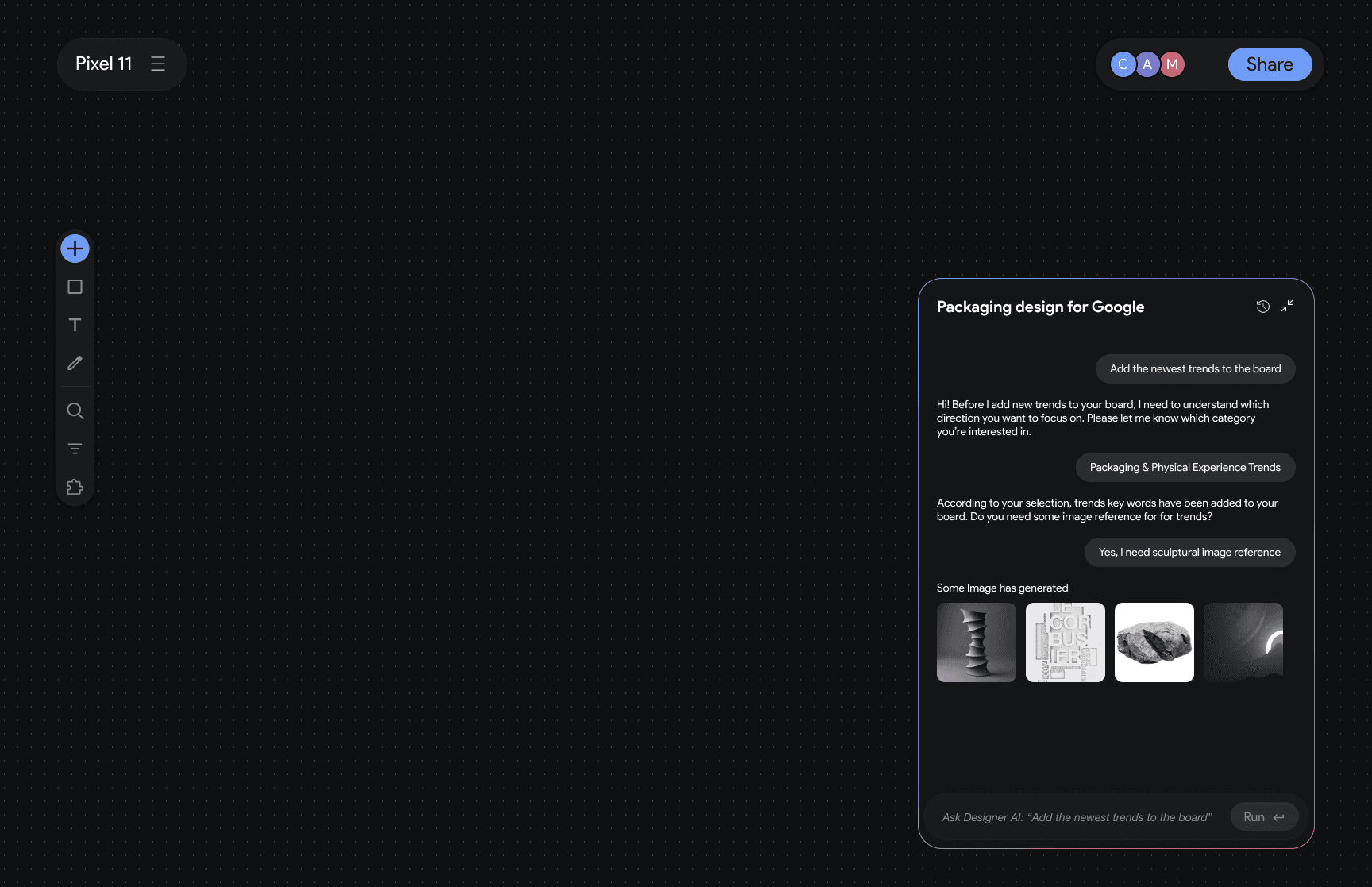
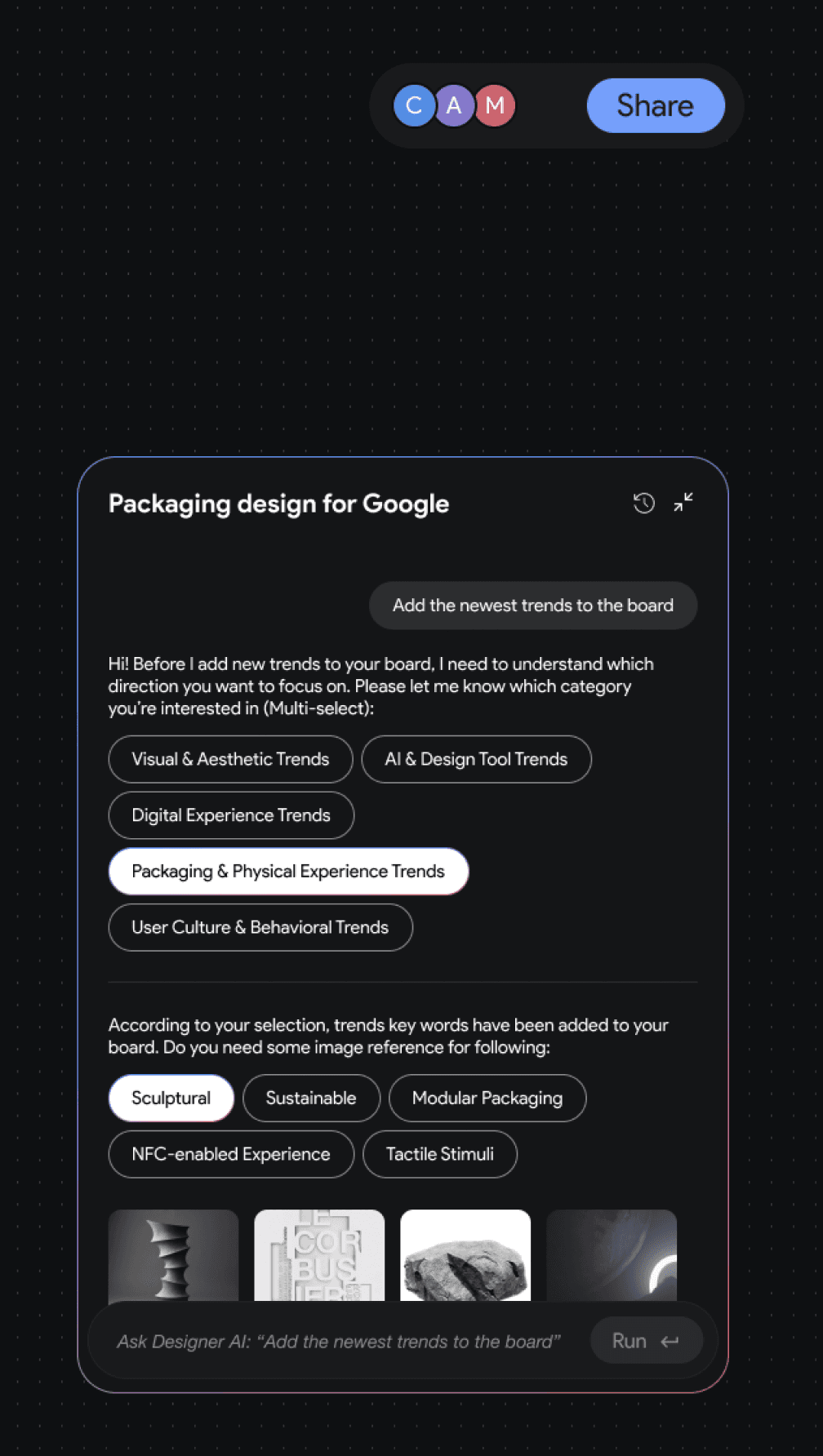
Before generating visuals, Prism doesn’t immediately act on a vague prompt — it first asks designers to select relevant trend categories or experience focuses.
This guided clarification ensures AI fully understands the design intent and creative direction before producing results.
Instead of asking open-ended questions, the updated interface introduces AI-preset options to guide users in defining creative direction.
During testing, we found that many users — especially engineers and PMs involved in packaging projects — struggled to respond to broad, conversational questions.
In Prism, every AI-generated keyword, trend, or image mentioned in conversation is automatically reflected on the canvas.
This synchronization bridges verbal exploration and visual creation — allowing designers to see, edit, and connect AI suggestions directly within their workspace.
User Testing & Iteration